Building a Scalable Design System
Building a tiered design token architecture and governance model that four fragmented product teams adopted voluntarily, cutting design-to-dev handoff time by 65% along the way.
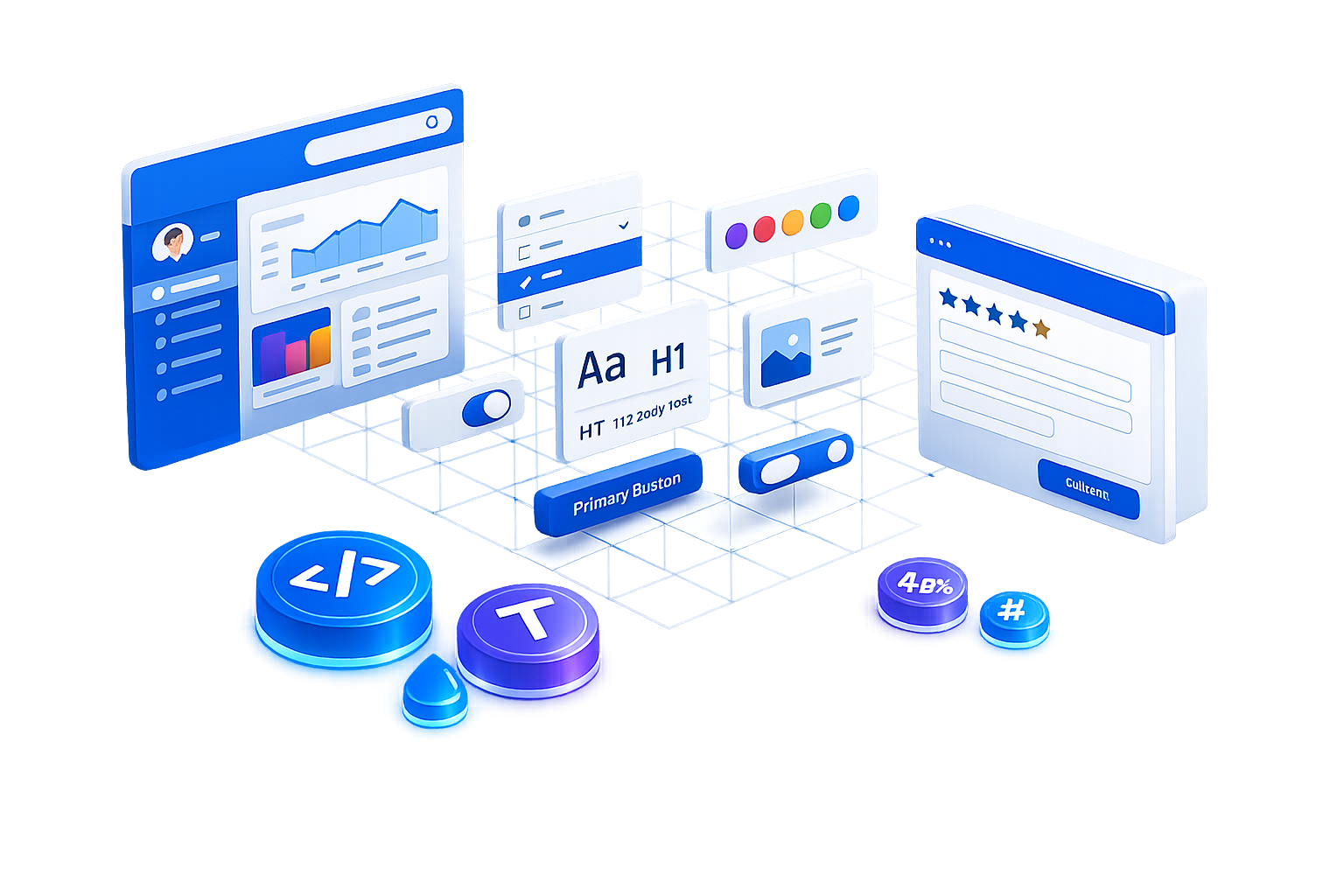
Atomic design pattern based design system
Four products, zero shared DNA
Our product ecosystem had grown into four distinct products with no shared foundation. Teams were reinventing the same components independently: our own audit later counted more than 20 different button variations alone, each with its own spacing, color, and interaction quirks.
The cost wasn't just visual inconsistency. Designers and developers were spending roughly 60% of their time recreating existing patterns instead of solving new problems, and the lack of a shared language between design and engineering was stretching every handoff.
"My objective was to build a single source of truth that four distinct product teams would adopt voluntarily. That meant creating a system that wasn't just consistent. It had to be significantly faster and easier to use than the existing fragmented approach."
Five values behind every decision
As Design System Lead, I set the philosophy the system had to earn its keep on: consistency, flexibility, transparency, evolution, and adoption. Every token, component, and governance rule traces back to one of these five.
Consistency
Every component follows the same design language, so the experience feels like one product, not four.
Flexibility
The system can branch and customize per product while the core tokens and components stay intact.
Transparency
Clear guidelines and living documentation mean anyone can use the system correctly without asking me first.
Evolution
The design system is a living product that adapts to new requirements rather than remaining a static deliverable.
Adoption
I treated developer experience as a design problem in its own right, since voluntary uptake was the actual measure of success.
Three compounding failures behind the fragmentation
Twenty-plus button variations, zero shared DNA
Four teams built similar components independently, with no shared source of truth to build from or check against.
A design-dev disconnect at every handoff
Without a shared language between designers and developers, every handoff introduced small implementation inconsistencies that compounded over time.
Sixty percent of time spent recreating patterns
With no standardized accessibility guidelines and no reusable base, designers and developers spent most of their time rebuilding what already existed elsewhere in the company.
How might we give four independent product teams a single source of truth they'd adopt voluntarily, because it was genuinely faster than what they already had, not because they were told to?
If we build a tiered token architecture that lets one brand change ripple through every product automatically, and pair it with genuinely well-documented, accessible components, then teams will adopt the system because it saves them time, not because governance requires it.
A ROT audit before a single component was built
Before designing anything new, I ran a Redundant, Outdated, Trivial (ROT) analysis across all four legacy products to see exactly how much duplication actually existed, rather than estimating it.
ROT Audit · 4 legacy products
Cataloged every UI element in use, finding 15 different button styles alone, along with duplicated color values and inconsistent spacing scales.
Engineering Alignment Sessions
Worked with lead engineers early to confirm which components carried real technical debt versus which were simply visual drift.
The 15 button styles weren't 15 different design decisions. They were the same decision, made independently four times, with no way for any team to know the others had already solved it.
Finding from the ROT audit that reframed the whole project
What the audit made clear
Duplication was a coordination failure, not a skill failure
Every team building its own button was reasonable in isolation. The problem was structural: nothing existed for them to discover and reuse instead.
A component library alone wouldn't fix a governance problem
Without a token architecture underneath it, a shared component library would drift back into inconsistency the moment any brand or product detail changed.
Adoption depends on developer experience, not a mandate
Teams needed to feel the system was faster than what they already had within the first few uses, or a mandate would just be quietly ignored.
The rules we designed by, and why
1 · Clarity over cleverness
Derived from teams defaulting to trendy, one-off patterns that no other product could reuse.
Every component favors the obvious interaction over the novel one.
2 · Accessible by default
Derived from the ROT audit finding no standardized accessibility guidelines anywhere in the four legacy products.
WCAG 2.1 AA compliance is built into every component, not layered on after.
3 · Consistency is structural, not visual
Derived from 15 button styles that all "looked fine" individually but fragmented the product as a whole.
Components reference tokens, never hardcoded values, so drift becomes structurally difficult.
4 · Mobile-first thinking
Derived from touch targets and layouts across the four products having been designed desktop-first, then patched for mobile.
Every component starts from a 44px touch target and a fluid layout, then scales up.
5 · Always evolving
Derived from a system that stops evolving quietly becoming the next thing worth auditing away.
Semantic versioning, automated changelogs, and a standing contribution process keep the system a living product, not a one-time deliverable.
Three phases, tokens before pixels
Phase 01 Tiered Token Architecture
I didn't start with UI components. I started with tokens, structured
into three tiers: primitive values like color-blue-500, semantic tokens like
color-primary that reference them, and component tokens like
button-bg-primary that reference those. Managed through Figma variables and synced
directly to code, this made a full brand refresh a one-click operation instead of a six-month
project.
Phase 02 Iterative Atomic Build
With tokens in place, I built up from atoms to molecules, organisms, and full page templates, always with engineering in the room. Components were designed in Figma with auto-layout and variants, mapped directly to React props, and documented in Storybook as they were built rather than backfilled afterward.
Phase 03 Phased Rollout & Governance
Rather than mandate adoption across all four teams at once, I piloted the system with a single product team first, refining based on real friction before a wider rollout. I paired this with semantic versioning, automated changelogs, and bi-weekly workshops so the system stayed a living product rather than a one-time handoff.
The choices that shaped the outcome
Decision 01
Flexibility vs. strict consistency
Tension: Product teams wanted to customize components for their own context, which risked recreating the fragmentation the system was meant to solve.
Choice & trade-off: I built a constrained variant system: teams could choose among defined variants, but couldn't introduce arbitrary one-off values outside the token set.
Decision 02
Phased rollout vs. organization-wide launch
Tension: Leadership wanted the system live across all four products immediately.
Choice & trade-off: I proposed a phased roadmap starting with one pilot team. It delayed full rollout, but caught integration issues while the blast radius was still small.
Decision 03
Gradual legacy migration vs. a hard cutover
Tension: Older products carried real technical debt that made an immediate, full migration impractical.
Choice & trade-off: I set a gradual migration plan with clear milestones instead of forcing a disruptive rewrite, trading migration speed for lower delivery risk.
Tokens that sync, components that document themselves
The finished system maps a single design decision straight through to code: a Figma variable change flows through semantic and component tokens into the React component library, with Storybook keeping usage guidelines and code snippets in sync as the system evolves.
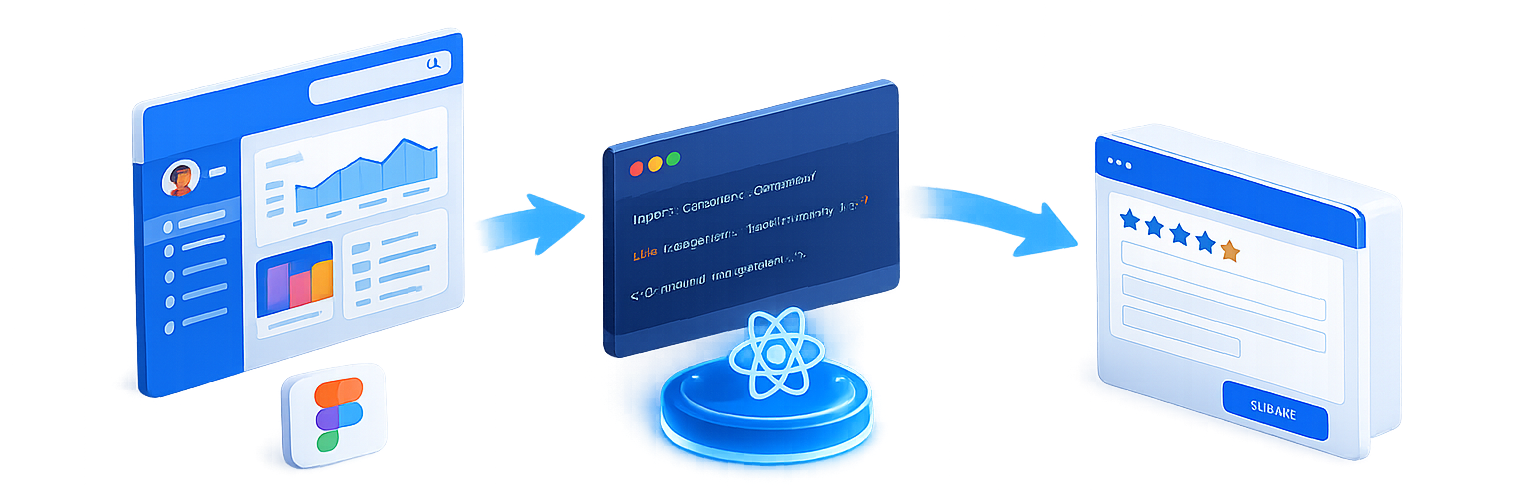
Design in Figma
Components designed with auto-layout and variants, synced with token variables directly.
Code in React
A direct mapping of Figma components to React props, styled with Tailwind utility classes.
Document in Storybook
Interactive documentation for every component, including usage guidelines and code snippets.
Component Gallery
Insert Screenshot 1
<img src="..." class="w-full h-full object-cover" />
Insert Screenshot 2
<img src="..." class="w-full h-full object-cover" />
Insert Full-Width Screenshot
<img src="..." class="w-full h-full object-cover" />
Design doesn't happen in isolation
Engineering: agreeing on token structure before code
A dedicated token-naming workshop with lead engineers reached 1:1 parity between Figma variables and the frontend codebase before a single component shipped.
Leadership: sequencing expectations against reality
Turned pressure for an immediate, org-wide launch into an agreed phased roadmap with clear, visible priorities.
Product teams: earning adoption, not mandating it
Bi-weekly workshops and a "start here" onboarding guide gave every new designer and developer a fast path to real productivity with the system.
How we arrived at the solution
UI Component Audit (ROT Analysis)
Conducted a Redundant, Outdated, Trivial (ROT) analysis across 4 legacy products, cataloging 15 different button styles.
Design Token Naming Convention Sync
Facilitated a strict alignment workshop
with lead engineers to agree on semantic token structures, such as
color.background.primary.
From fragmentation to a single, governed system
Prototyping speed also increased threefold, and internal surveys put UI consistency at 95%, up from a fragmented baseline with no shared measurement at all.
Honest reflections from the process
What Worked
Starting with tokens, not components
Building the tiered token architecture first created a solid, scalable base. Every complex component that followed was easier because the foundation underneath it was already right.
Involving engineering from day one
The token-naming workshop happened before design work started, not after. That single sequencing choice prevented months of implementation drift later.
What I'd Do Differently
Set the customization boundary earlier
The flexibility-versus-consistency tension surfaced mid-project and cost real rework. Defining the variant system's limits during the token phase would have avoided it.
Show time savings with real examples sooner
A few teams held onto their own solutions until they saw concrete before-and-after comparisons. Leading with those examples from the pilot, rather than introducing them later, would have shortened the adoption curve.